
About this game
Core Matching Loop
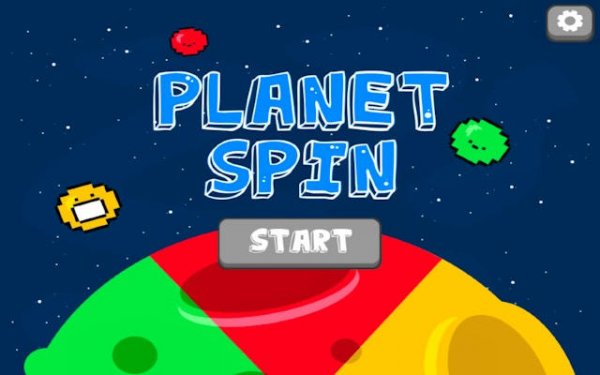
Players control a planet divided into three distinct color sections. The primary action involves rotating this world so that each approaching colored object lands on the section of the same color. A successful match adds to the planet's size and grants points. A mismatch reduces the corresponding section, and repeated errors can end the round. This simple rule set creates a compelling cycle of action and reaction.
Visual Feedback & Growth
The game provides clear visual cues for every action. When a correct match occurs, the planet visibly expands, offering a satisfying sense of progress. When a mistake happens, the affected area shrinks, giving immediate feedback. This constant visual update helps players quickly understand the consequences of their choices and adjust their strategy on the fly.
Difficulty Progression
As play continues, the pace of incoming objects increases, and they may arrive from multiple directions. This gradual ramp in difficulty keeps the experience engaging without overwhelming new players. The challenge lies in balancing speed with accuracy, as rushing leads to errors while hesitation allows objects to pass.
Platform & Controls
Orbit Color Clash is designed for touchscreens and mouse input. On mobile devices, a simple finger swipe or tap rotates the planet. On a computer, the mouse serves the same function. This consistent control scheme ensures the game feels natural across desktops, tablets, and smartphones.
Power-Up System
Occasional power-ups appear to assist during hectic moments. These temporary boosts can help manage multiple incoming objects or slow down the action briefly. Using them at the right time is key to surviving the most intense sequences and achieving higher scores.



Audience comments
Sign in to comment
You must be logged in before posting a review or rating.
No account? Create one
No comments yet. Be the first to comment!