
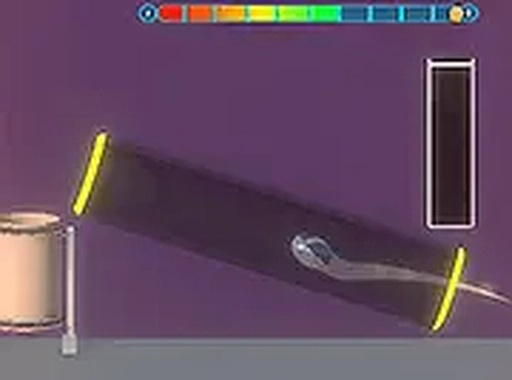
Neon Ball Arcade Challenge
Runs in your browser — no download.
Reviews
Neon Ball Arcade Challenge offers a simple but addictive gameplay loop. The neon graphics are visually appealing, and the many levels with unique obstacles keep the experience fresh. The ability to collect different ball types adds a nice touch of customization. It's a perfect game for quick breaks or longer sessions, and it's completely free to play in your browser.
Description
Game Introduction
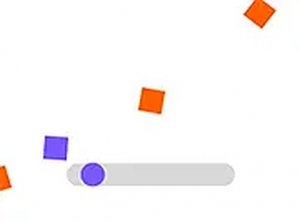
Neon Ball Arcade Challenge is a vibrant hyper-casual game designed for desktop browsers. The core objective is simple: you control a neon ball and must shoot it into a basket bin on each level. The game offers many levels, each with different layouts, obstacles, and distances, ensuring that every attempt feels fresh and engaging. As you progress, you can visit the in-game store to collect various ball types, adding visual variety to your gameplay. The neon aesthetic makes every successful shot feel rewarding, providing a relaxing yet engaging experience for players of all ages. This game emphasizes precision and patience, making it a great choice for casual players looking for a quick challenge or a longer session of focused play.
How to Play
To play Neon Ball Arcade Challenge, you use your mouse to aim at the basket bin. Click to shoot the ball. You have three shooting rights per level, and you must land the ball in the bin with a single shot. The game is controlled entirely with a mouse, so no keyboard is needed. Each level presents a new arrangement of obstacles and distances, requiring careful aim. If you miss, you can try again with your remaining shots. Successfully completing a level unlocks the next challenge. You can also visit the store to buy new ball types and customize your game.
Game Features
Neon Ball Arcade Challenge includes many levels with unique layouts and obstacles. Various ball types are available to collect from the in-game store. The bright neon visuals enhance the gameplay and create a rewarding atmosphere. The game is free to play directly in your browser. Simple mouse controls make it easy to start playing immediately, with no downloads or installations required.
Tips for Success
Practice your aim by adjusting your mouse sensitivity to find a comfortable speed. Observe the level layout before shooting to anticipate obstacles. Use your three attempts wisely—take your time with each shot. Experiment with different ball types from the store to see if any help with visibility. Stay patient; each level is a new puzzle that rewards careful timing.













03 Comments
Sign in to comment
You must be logged in before posting a review or rating.
No account? Create one
No comments yet. Be the first to comment!