
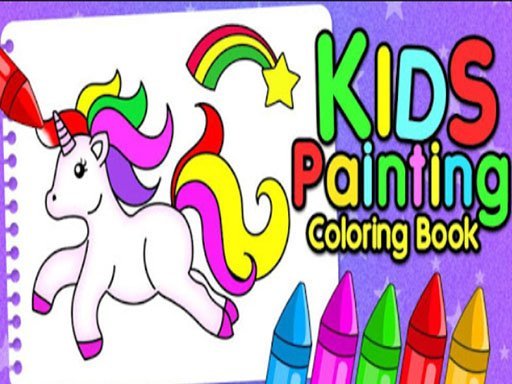
Little Artists Color Studio
Runs in your browser — no download.
Reviews
Little Artists Color Studio provides a wonderful, safe creative outlet for young children. The large collection of pages across themes like animals and fruits keeps kids engaged. The finger painting controls are perfectly sized for small hands, and the sound effects add a layer of fun. Parents will appreciate the educational value and the ability to save artwork. It is a top choice for quality screen time.
Description
Game Introduction
Little Artists Color Studio offers a bright and cheerful digital space where young children can explore colors and shapes. This application functions as an interactive coloring book, providing a wide variety of pages for kids to fill with color. The collection includes themes such as vehicles, numbers, animals, birds, vegetables, fruits, unicorns, butterflies, flowers, and decorative patterns. Each page presents an opportunity for children to learn about different objects and their names. The experience is designed to be safe and family-friendly, turning screen time into a productive activity. By engaging with this studio, children can develop fine motor skills and express their artistic side. The simple interface allows even the youngest users to participate without frustration. This tool supports early learning by combining visual recognition with creative play. It is suitable for preschoolers and children of various ages who enjoy drawing and painting.
How to Play
Players begin by selecting a coloring page from the available categories. Using a finger on a touchscreen, they tap and drag colors onto the outlined areas of the picture. Each section fills with vibrant color as the child paints. The process is intuitive and requires no reading or complex instructions. Children can experiment with different color combinations on the same page. After completing a picture, the artwork can be saved to the device for later viewing or sharing with family. The straightforward design encourages independent exploration and repeated play.
Game Features
This studio includes a large collection of coloring pages organized into multiple themed categories. Sound effects provide positive feedback as children paint. The finger painting method is designed for easy use on touchscreen devices. Completed artwork can be saved and shared. The user interface is clean and child-friendly, with large buttons and clear icons. The application focuses on providing a safe, ad-free environment for creative expression.
Tips for Success
Encourage children to try pages from all categories to learn about different objects and themes. Allow them to choose their own color combinations to foster creativity. Save and display their finished pieces to build confidence. Use the coloring time as a chance to talk about colors, shapes, and the names of items like animals or fruits. Regular practice with the finger painting controls can help improve hand-eye coordination.















03 Comments
Sign in to comment
You must be logged in before posting a review or rating.
No account? Create one
No comments yet. Be the first to comment!